Free
$0
Local Mac dictation.
TypeServe runs large speech models on the Mac you already own: any Apple silicon Mac with macOS 14 or later. Dictation on your Mac is free. Your phones, Live Captions and File Transcription are one $40 lifetime price, with no subscription for transcription.
Free
Press your hotkey, speak, and the text appears where you were typing.
Illustration, not a screen recording: you press your hotkey and speak, the recording overlay shows while you talk, your Mac transcribes, and the text appears where you were typing, with filler words removed by Rewrite.
Vocabulary and Corrections add your terms. History keeps the raw text beside the polished text. Review important output: models can change meaning.
Part of the $40 license
Use your Mac’s speech models from your phone.
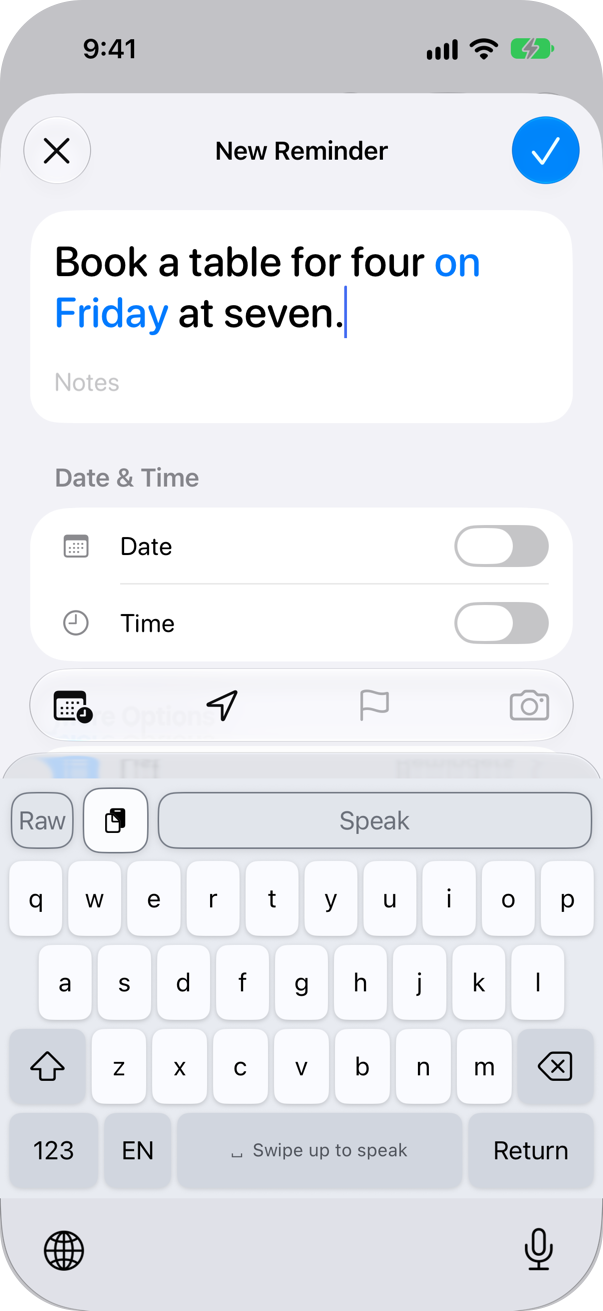
Illustration, not a screen recording: you turn on Relay on your Mac and it shows a QR code; you scan the code with the TypeServe app on your phone; both show the same number and you approve the phone on your Mac. After that, your speech travels encrypted from your phone through the relay to your Mac, and the text travels back.
Pairing uses TypeServe Relay: audio and text are encrypted end to end between your phone and your Mac, and the relay can see connection metadata. You can also connect with self-managed Tailscale.
Keyboards type English, Spanish, French, Portuguese, Russian, Korean, Chinese Pinyin and Japanese. Your Mac must be running with Server Mode.
Part of the $40 license
Live captions and translation for your microphone or your Mac’s system audio.
Demo: a panel discussion plays on the Mac while Live Captions captions it with speaker labels, translates each sentence into Chinese, and keeps a typed note. Source: Tech Analysts Roundtable with Bob O’Donnell | HPE Discover 2023 by SiliconANGLE theCUBE, CC BY 3.0; a 35-second excerpt, shown with its video.
The saved transcript has timed paragraphs.
Part of the $40 license
Turn a meeting into a transcript with a summary, and a movie into translated subtitles.
Excerpt
Analyst roundtable transcript
Summary
Key points
Action items and deadlines
Transcript
A meeting transcript as File Transcription saves it: summary first, then timestamps and speakers. Source recording: Tech Analysts Roundtable with Bob O’Donnell | HPE Discover 2023 by SiliconANGLE theCUBE, CC BY 3.0; an 80-second excerpt.
Demo: a German nature documentary with TypeServe’s two-language subtitles over the video, the German original in gray and the English translation below it. Source: Die Rüsselnasen der Saiga-Antilopen by ZDF/Terra X/Viking Film/Iris Gesang/Andreas Kieling, Frank Gutsche/Christian R.Timmann/Richard Sako, Boris Bürgel, Markus Tanz, John-Christian Kultzscher, CC BY 4.0; trimmed, German and English subtitles added.
Share a Voice Memos recording to TypeServe on your Mac or iPhone. Transcripts are saved as Markdown, and as JSON for your own tools when you turn that on. The summary sits at the top of the transcript: key points, then action items and deadlines. SRT subtitles can hold only the translation or both languages, and play in a floating overlay.
Pricing
Try every paid feature, and Relay, free for 14 days.
$0
Local Mac dictation.
$40 lifetime
Server Mode, Live Captions, File Transcription and companion apps for iPhone and Android.
$1/month
Or $10/year. Relay manages the phone–Mac connection for you. After the trial, separate from the lifetime license.
The trial covers Server Mode, Mac Live Captions, File Transcription, companion phone use and optional Relay, with no separate Relay payment. It starts the first time you use one of these paid features.
Relay is optional: you can manage the connection yourself with Tailscale’s free personal plan, subject to its terms, with no TypeServe Relay fee (Tailscale setup guide). Server Mode still needs the lifetime license after the trial. Compare connection options →
Apple silicon Mac with macOS 14 or later. We recommend 32 GB of memory or more; 16 GB gets tight. With 8 GB, try it at your own risk: use the smallest speech model, Parakeet TDT 0.6B v2 8-bit (English only), and turn off Polish or use S1-mini by Superwhisper (English only). Unzip the download, move TypeServe to Applications and open it.

iPhone: United States and Canada.
Android: coming soon.